

Most teams don’t replace their GRC tool because of one major issue. It usually starts with small problems. The platform doesn’t connect to other systems. Teams create workarounds just to get data in. Reporting takes longer than it should. What should be a source of truth starts to slow everyone down.
In some cases, frontline teams avoid the tool entirely: doing the minimum, skipping steps, missing information. When audit time comes, the gaps show up, and teams scramble to fill in what they assumed the system captured.
The same problems surface repeatedly: over-reliance on spreadsheets, tools that were never fully adopted, and systems that can’t scale.
I speak with many GRC teams who are stuck in this cycle. They know their current tool isn’t scaling, but they keep it in place because replacing it feels expensive and disruptive. They’re worried about migration. They don’t want to retrain people. Some don’t even know what a connected, modern, GRC solution can offer.
By the time they’re ready to change, they’ve already paid the price: missed data, rework, and wasted time. Most legacy GRC tools were built as documentation systems. Today’s teams need a connected workflow system that links risk, compliance, and audit so the real work stays aligned. When the tool can’t support that model, the problems show up quietly at first, then everywhere at once. Use the five signs below as a quick diagnostic check to see whether your current platform can support how your program actually operates.
Discover Resolver's solutions.
Sign 1: Your team starts working around the tool
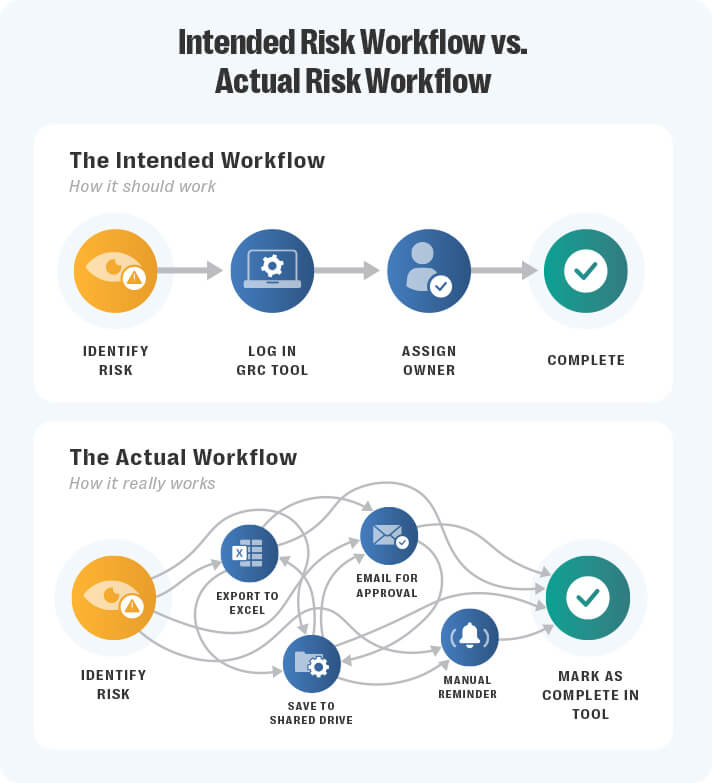
Across risk and compliance teams in mid-sized banks and insurers, I hear the same pattern: “The work gets done — just not in the system.” It starts quietly as a shortcut, then becomes the norm.
It starts small: a risk owner skips a task because the reminder never came through, someone downloads a template but doesn’t re-upload it, another enters just enough information to clear a notification.
While it looks like the work’s getting done, the system isn’t capturing any of it in a way that supports the team or helps leadership make decisions.
That’s not a user issue. It’s a product fit issue.
When teams stop engaging with the tool, it’s often because it no longer fits their program’s scale or structure. Workflows aren’t flexible, interfaces don’t match how teams think, or handoffs feel clunky. The tool creates friction, not value.
Over time, real work shifts into emails, spreadsheets, and shared folders. The platform becomes a checkbox, not a process manager. That gap surfaces when something forces alignment — a board update, audit, or leadership change — and no one’s confident the system tells the whole story.
The cost? Fractured accountability, duplicated work, and time spent reconciling different versions of reality.
Sign 2: Reporting is always a manual job
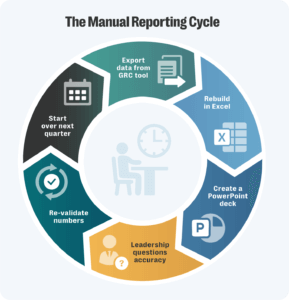
If reporting still means exporting data, building slides, and rewriting commentary, your tool isn’t doing its job. Audit leaders feel this most during fieldwork. Compliance managers feel it every quarter. Risk leaders feel it at the next board meeting. I’ve spoken with teams who built entire audit presentations in Excel and PowerPoint because their system couldn’t format data the way leadership needed to see it.
When leadership repeatedly questions numbers or requests custom views, it signals the platform no longer fits how your business makes decisions.
GRC teams know the work is done, but the platform can’t reflect it. When reporting doesn’t match reality, trust drops.
Teams start building reports outside the tool “just to be safe”, falling back on spreadsheets and revalidating data the platform should already show.
If your system can’t produce the report leadership expects, your team pays for it — every cycle. You lose time rechecking data. You answer follow-ups that shouldn’t exist. And instead of focusing on the risks that matter, you’re busy fixing presentation gaps.
When your system can’t produce what leadership expects, you lose time rechecking data and answering unnecessary follow-ups instead of focusing on actual risks.
A modern GRC solution structures data, linking tasks to controls, mapping owners to risk areas, and generating reports that reflect the real state of your program. It shows leadership what’s overdue, where risk is increasing, and how the team is responding — automatically. The fix isn’t another template, it’s the right tool.
Sign 3: There’s no integration with core platforms
Your GRC tool should be part of how work gets done, not sitting on the sidelines.
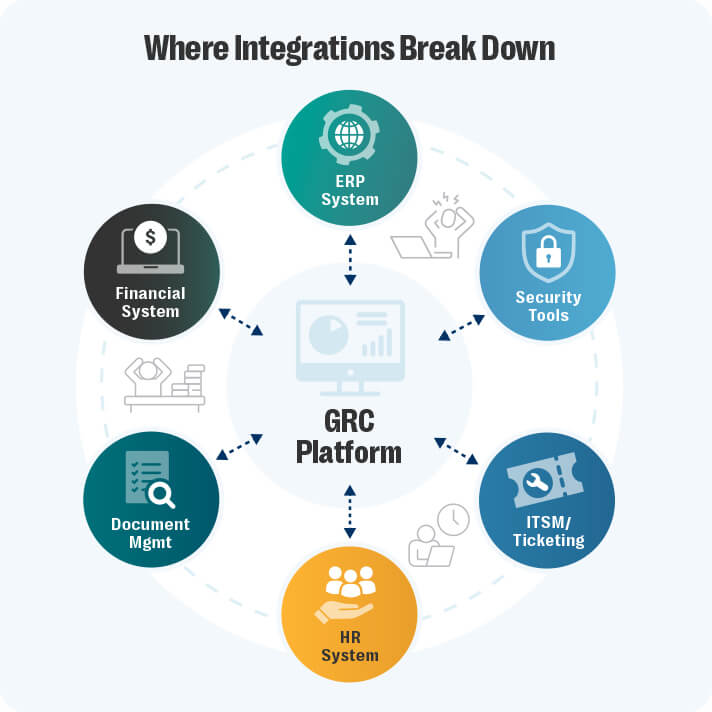
But when legacy systems don’t connect to the platforms teams already use, like Enterprise Resource Planning (ERP) or security platforms, there’s a gap. And GRC teams are usually the ones who fill it. Risk professionals often show me side trackers they’ve created. Their systems can’t map regulatory changes or control test results from other tools without manual uploads.
It’s a sign the platform wasn’t built for your program’s current size. As teams grow, managing complexity without integrations becomes impossible. GRC systems shouldn’t work in isolation.
You can’t monitor real-time changes while waiting for manual uploads, spot issues quickly when signals live across five tools, or give leadership clarity when reports require manual assembly.
Modern GRC solutions connect to core systems because that’s where the work starts. Risks identified in a vulnerability scanner. Controls tested in an audit module. Exceptions logged in a ticketing system. It all needs to flow into one place to get the full picture.
If your team has to do that stitching themselves, the tool isn’t helping. It’s holding them back.
Sign 4: Audit prep takes longer than it should
When tools are hard to use, teams disengage. They do the bare minimum, skip steps, or log issues once and never follow up. Not because they’re careless, but because the system gets in the way.
As a result, records go stale, tasks look incomplete, and ownership gets murky — but no one notices until audit time. A common pattern I hear from integrated GRC teams is that each function assumes the others updated the system. Risk logs a note in one area, compliance tracks evidence somewhere else, and audit doesn’t see any of it until fieldwork begins. The gaps stay invisible until everyone is already behind.
Then comes the scramble: chasing evidence, piecing together timelines, and spending more time revalidating work than reviewing what needs attention. This signals the system no longer supports daily operations. Workarounds erode the audit trail. When the trail breaks down, teams can’t demonstrate how risk is being managed.
A modern GRC platform links actions to evidence automatically. It maps work to owners, flags missing information, and shows what’s done — and what still needs follow-up.
That way, audit prep is simply a review.
Sign 5: Your data tells a different story every time
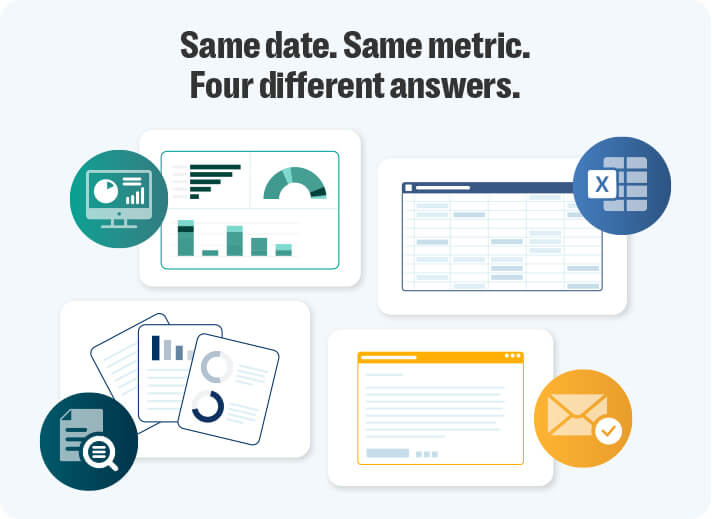
When teams stop trusting the data, it shows. Leadership starts asking follow-ups the platform should’ve already answered. Audit prep takes longer because no one’s sure what’s accurate. And teams start validating information manually. Yes, even when it already lives in their GRC tool.
Something I hear from risk and compliance teams more than you’d think: everyone keeps their own spreadsheet “just to be safe” because they don’t trust what the system reports.
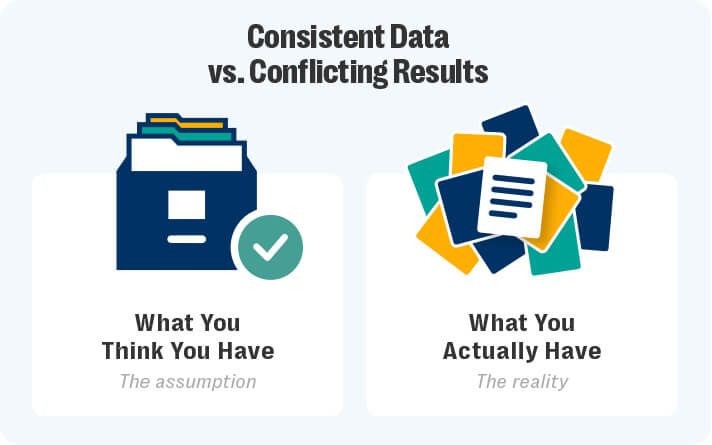
Instead of one record, everyone operates from their own version. Different teams use different names for the same risk. Controls get entered twice. Issues are logged in one place and tracked in another. But you can’t spot trends when issues have multiple labels, run comparisons without consistent structure, or act quickly when every update sparks a debate.
If your GRC tool can’t provide one connected, consistent set of data for risk, audit, and compliance, it’s not just outdated. It’s preventing your program from maturing and moving forward.
The hidden costs of an outdated GRC tool
Some teams hold onto a GRC platform longer than they should. Not because it’s working, but because they’ve already invested so much into it.
They’ve paid for licenses, trained teams, and built processes around it. Replacing it feels like starting over.
But the longer teams stay with a system that can’t support them, the more the real work shifts outside the tool. That’s especially true for managers at mid-sized banks, insurers, and credit unions — often teams adding headcount. It’s the sunk cost fallacy in action, keeping teams locked into tools that cost more than they return.
I’ve spoken to teams who have added to their headcount just to manage manual updates the system can’t handle. Others wasted hours pulling data from different tools because their platform won’t sync across systems. Some even spin up their own side tools — spreadsheets, ticketing platforms, trackers — just to patch the gaps.
These costs don’t always appear in budgets, but they add up: time lost to workarounds, rework from missed connections, and pressure on already-stretched teams.
And then there’s the opportunity cost.
Those efficiencies don’t just save hours — they change how your teams operate. That’s time and insight you don’t get back. The longer teams stay with a system that can’t support them, the more the work shifts outside the tool, and the harder it becomes to recover accuracy, auditability, and trust.
Looking for a tool that actually works like your team does?
GRC programs only scale when the tools behind them do, too. Workarounds feel normal. Reporting takes longer. Key systems don’t connect. And the tool that was supposed to make things easier ends up costing more time and more money than it saves.
You shouldn’t have to fight your platform to show what’s happening. The fix isn’t another workaround. It’s a platform designed for connected workflows across risk, compliance, and audit.
In a modern integrated GRC platform, tasks, controls, issues, and evidence live in one place. Teams see changes as they happen. Reporting reflects reality, not manual clean-up. Audit becomes a review, not a rebuild.
Most GRC tools connect modules, not workflows. Resolver integrated GRC solution connects the work itself — owners, tasks, controls, and evidence — so teams stay aligned without rebuilding context.
No more second systems. No more cleanup cycles. Just one platform built to support how your team works — now and as you grow.
See how integrated GRC software connects your workflows and gives teams a single source of truth. Request a demo to see how we help GRC teams move faster, stay aligned, and stop wasting time on tools that can’t keep up.
